
Business Process Automation
Business process automation (BPA), is the strategy a business uses to automate processes in order to reduce costs.
It consists of integrating applications, restructuring labor resources and
using software applications throughout the organization.
BPA enables companies to streamline enterprise business processes
by applying these proven communications technologies to capture,
prioritize, route, escalate, track, and manage processes through the entire process lifecycle.
Key features and benefits
and other systems and applications using web service calls, database actions, and other available integration methods
email, call, fax, SMS, survey score, spotted keyword, database update, employee, scheduled date)
Presence – Determine personnel availability to perform the work in real-time
and approaching due dates and the ability to automatically re-assign work based on business rules
Collaboration
With collaboration software you keep your workforce:

Document Management

Organizations produce piles of documents, images and other information electronically.
The location of this information is a time consuming task. Users tend to file papers
and to save documents in folders on their own computers. Nobody knows what information is across
the company and what information is needed.
Document management application provides full document management capabilities including version control
and file history, metadata, scanning, workflow, search, and more. It also allows the social activities around content to be used
to connect people to other people, information to information, and people to information; helping to manage,
more efficiently, the collective intelligence of the human resources of the company.
ERP and MRP
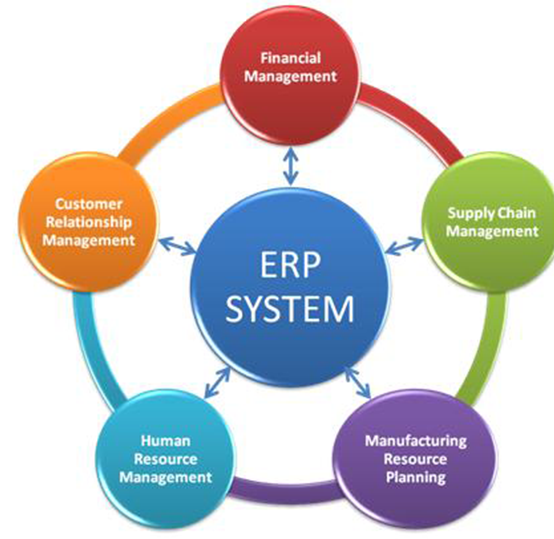
ERP is short for enterprise resource planning.
Enterprise resource planning (ERP) is business process management software that allows an organization to use a system of integrated applications to manage the business and automate many back office functions related to technology, services and human resources. ERP software integrates all facets of an operation, including product planning, development, manufacturing, sales and marketing.
MRP
Very simply, MRP Software plans your material requirements the same way you do, or would if you had the time, patience and accuracy. There is nothing magical or particularly complicated about inventory and production planning. Just like you, MRP looks at all of your customer orders and forecasts and, from your bills of material (BOMs), figures out what you need to make and buy. It subtracts everything you already have on hand or on order. And then, from the lead time to make or buy each item, MRP calculates when you should place your purchase orders and when you should open your work orders, so that you finish your products on time to meet the ship dates you promised to your customers.
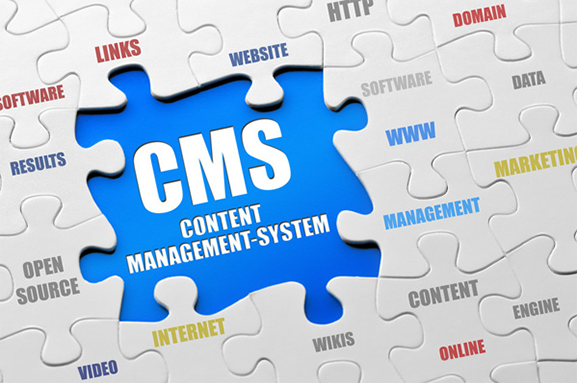
A content management system (CMS) is a system used to manage the
editorial content of a Web site.
A content management system (CMS) is a system used to manage the
content of a Web site. Typically, a CMS consists of two elements:
the content management application (CMA) and the content delivery
application (CDA). The CMA element allows the content manager or author,
who may not know Hypertext Markup Language (HTML), to manage
the creation, modification, and removal of content from a Web site without
needing the expertise of a Webmaster. The CDA element uses and compiles that information to update the Web site.
The features of a CMS system vary, but most include Web-based publishing, format management, revision control,
and indexing, search, and retrieval.
Intranet

An intranet is a private network that is contained within an enterprise. It may consist of many interlinked local area networks and also use leased lines in the wide area network. Typically, an intranet includes connections through one or more gateway computers to the outside Internet. The main purpose of an intranet is to share company information and computing resources among employees. An intranet can also be used to facilitate working in groups and for teleconferences.
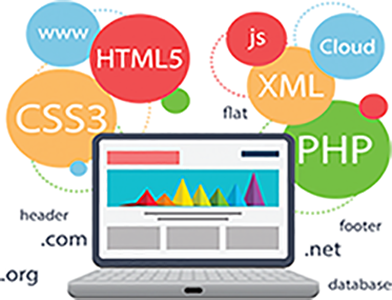
Web Application Development
Information Security

System Integration: TIL’s proven methodologies and team of qualified and experienced network and security engineers
have earned us a strong reputation for designing, configuring, testing and seamlessly integrating a range of best-in-class security,
networking & mobile management technologies.
Evaluate their risk exposure to a variety of information, Internet and IT security threats.
Identify millions in annual network management savings.
Managed Services: TIL’ Next-generation Threat Management service provides organizations with visibility
and control over applications, users and threats to protect client information and corporate networks.
TIL’ Threat Management Service includes 24X7X365 security monitoring, full device management,
and a security incident management process to ensure timely identification, containment and
eradication of the malware from client environments.
IT maintenance and support services: 8*5 office IT support services help SME to reduce IT expenses
but leverage the top grade internal IT support services